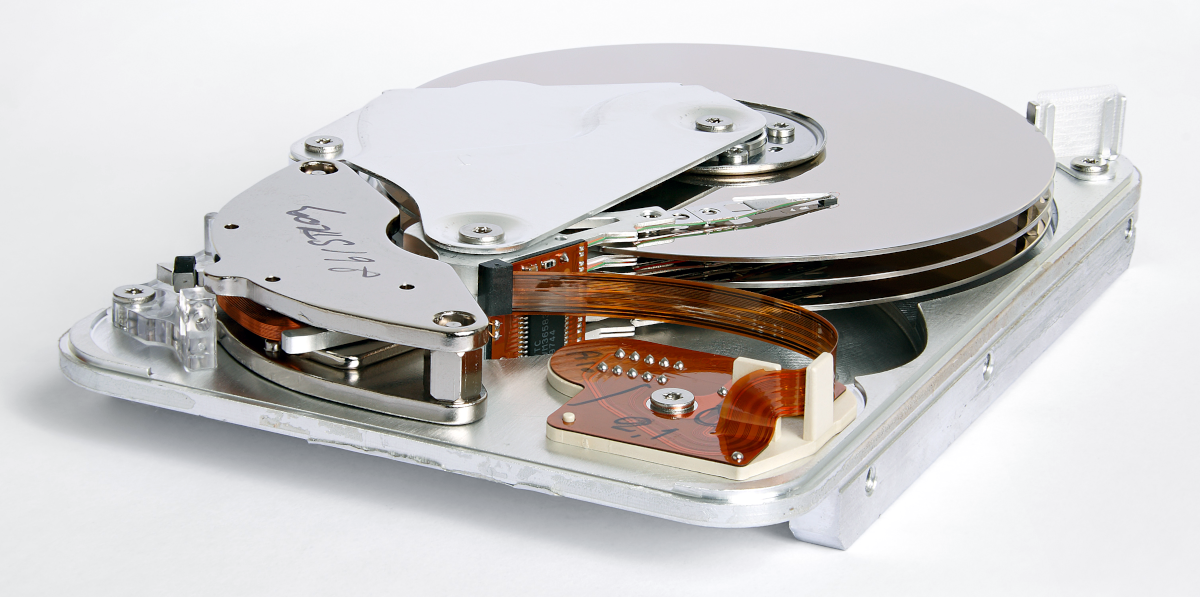
[Photo by Eric Gaba]
Ah, poor old HDDs! They served us, and served us well for decades, but today…

If you are looking to store your digital goodies with the most bang for the buck, then hard disk drives are undoubtedly the way to go. Whether it’s for a NAS, a secondary drive for some less-played games, or any other use where capacity is a priority over speed—there’s no beating the ‘price per gigabyte’ of HDDs. But how do you pick the perfect drive for your use case?
Although almost any modern drive should fit and work fine if there is a free compatible motherboard slot and power connection present (usually SATA, although older systems might have other connectors), there are a few different things to consider when looking to get the perfect drive. In this guide, I will be going over the what and the how of picking out your new drive (or drives!). But first, let’s take a closer look at what HDDs can offer us that an SSD or some other technology can’t, and what drawbacks there might be.

M.2 SATA, M.2 NVME, SSD, HDD—if any of those abbreviations make your head spin faster than a hard drive platter, look no further. This article outlines the different storage options on the market today, highlighting the best use-cases for each and recommending the best product in every class.
Upgrading an older storage drive to an SSD is one of the surest (and cheapest) ways to give a boost to an older PC, but where should you begin? There are three main options on the market today: HDDs, SATA SSDs, and M.2 SSDs. Here’s a look at each.


Icy Dock’s Expresscage Tool-less Hot-swappable 2.5″ Drive Enclosure
While there are a great number of options these days for good-looking PC cases that entirely lack 5.25” drive bays, the majority of cases still offer at least one of these spaces. And efficient builders won’t want that space being used for nothing.
Don’t get me wrong: Many builders still do want to use those spaces to house intended utilities, including disc drives, card readers, extra USB ports, and even floppy drives. But that doesn’t mean there won’t still be an unoccupied bay sitting around at the end of the day. (I personally have a Pioneer Blu-Ray/DVD/CD player in my tower, and for the time being, it sits above an unused 5.25” bay.)
So, here are a few ideas for what to do with those bays instead of leaving them as cavities in your build:

