

The Xbox One S is releasing on August 2, 2016, bringing the power of the original Xbox One into a tiny form factor. Releasing at $399 for the 2TB version, this brings the cost of console gaming back up to budget gaming PC range.
Today, we’d like to find out how powerful of a PC we can build for the same price of the Xbox One S. As it turns out, you can build something surprisingly powerful.
The Xbox One S shrinks the original Xbox One to a very pleasantly small size, but it brings very little performance improvement. The hardware remains the same, except for efficiency improvements that reduce the power and heat, and allow for small clock speed increases.
From what we know, this is a rough overview of the specs Xbox One S. The clock speeds are a little higher, but we’re not sure exactly how much:
- CPU: Custom AMD 8-core @ ~1.75+ GHz
- RAM: 8GB DDR3-2133
- GPU: Custom AMD, 768 SPs @ 850+ MHz
Having 8 CPU cores is nice, but their speed is painfully slow. 8GB of RAM is nice, and more than enough for gaming. The same is true for PCs. The GPU was competitive when it came out, and still isn’t bad. It’s a little slower than an AMD R7 360.
Beyond the smaller size, the main new features of the Xbox One S are HDR10 support, which will allow people with high-end TVs supporting HDR10 to have slightly better picture quality, and 4K movie and picture support. The One S also benefits from greater developer optimization. Unlike PCs, every Xbox has basically the same hardware, so developers can optimize their code very specifically for the console to squeeze out every bit of performance available.
For someone who wants a very simple way to play games reasonably well, and wants to be able to watch video, the One S will do a fine job. However, for someone who enjoys a bit of tinkering and setup, and wants more performance for the same amount of money, building your own PC is still the better option. Below we have two builds — one that provides better performance than the Xbox One S for the same price, and a second that leaves the One S in the dust for an additional ~$150.
Note: The prices we quote are just for hardware. We do not include the price of the operating system and other things you might need (monitor, keyboard, mouse) depending on what you currently have. See the bottom of this article for more details on those additional things. For a free OS (albeit limited), there’s SteamOS.
$400 Xbox One S Destroyer
This build rivals the Xbox One S in price, while providing over twice the raw gaming power. Brute force trumps optimization. Max games out at 720p resolution, and get smooth frame rates at higher resolutions. This build also has excellent upgradability.
Graphics Card: ASUS R7 370 STRIX 2GB ($90 after rebate)

With 1024 SPs at 1070 MHz, the R7 370 has almost 1.5x the raw GPU power of the Xbox One S.
Alternative GPU: ASUS R9 380 STRIX 4GB ($145 after rebate)

(For another ~$50, you can get a much more powerful GPU. With 1792 SPs at 970 MHz, the R9 380 has almost 2.5x the raw GPU power of the Xbox One S.)
CPU: Intel i3-6100 ($115)
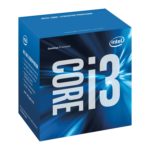
With two hyperthreaded cores, the i3-6100 is a very efficient CPU. It is more powerful the relatively slow 8 core CPU in the Xbox One S. With our motherboard, starting with a 6100 will also allow future upgrades all the way up to Intel i7s, the most powerful gaming CPUs available.
Motherboard: Gigabyte H110M-A ($50)

Excellent value, with all the main features and performance you need without any of the features you don’t. This will allow upgrades in the future such as an i3, i5, or i7 CPU, and more RAM. Good onboard sound and gigabit ethernet.
Memory: 8GB DDR4-2133 ($30)
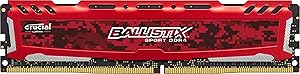
8GB is more than enough for gaming. 2133 is the fastest speed supported by the motherboard. A single 8GB stick sacrifices a couple percentage points of performance for the ability to add more RAM later.
Storage: Western Digital Caviar Blue 1TB ($50)

Inexpensive, reliable storage. Feel free to get a larger drive if you think you’ll need it. If you have the money, adding an SSD (120GB or 240GB) to install Windows and your most used applications and games on will greatly improve how fast general use feels.
Power Supply: EVGA 500 W1 ($35)

A reliable, inexpensive power supply. Moderately efficient and quiet. Get this, or whichever has the best price between the 450B, 500B, and 600B. Even 450W is plenty for this build.
Case: Fractal Core 1100 ($30)
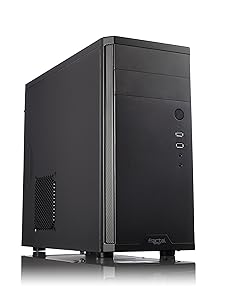
A surprisingly nice case for the price. USB 3.0, decent airflow, enough space, small.
The $550 Performance Powerhouse
This build leaves the Xbox One S in the dust when gaming. This build achieves smooth frame rates at high settings in most titles at 1080p resolution or even higher. It offers a ton of performance for the money, and has the ability to be upgraded into a true computing monster.
GPU: RX 480 4GB ($200)

With 2304 stream processors at 1266 MHz, the RX 480 provides almost 4x the raw power of the GPU in the Xbox One S. The RX 480 is also quite power efficient. The only problem is finding it in stock at a fair price!
CPU: Intel i3-6100 ($115)
With two hyperthreaded cores, the i3-6100 is a very efficient CPU. It is more powerful the relatively slow 8 core CPU in the Xbox One S. With our motherboard, starting with a 6100 will also allow future upgrades all the way up to Intel i7s, the most powerful gaming CPUs available.
Motherboard: MSI H110M Gaming ($70)

Clean, solid, with all the performance and basic features needed.
Memory: 8GB DDR4-2133 ($30)
8GB is plenty for gaming. buying a single stick will give you the option of adding more RAM in the future.
HDD: Western Digital Caviar Blue 1TB ($50)
1TB is enough space to hold a lot of games, but feel free to get a larger drive. If your budget allows, adding a good 120GB or 240GB SSD to install Windows and your most played games on is highly recommended, and will make the PC feel much faster for general use.
Power Supply: EVGA 500B ($45)
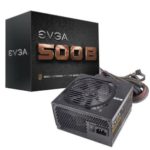
A reliable, inexpensive power supply. Moderately efficient and quiet. Get whichever has the best price between the 450B, 500B, and 600B. Even 450W is plenty for this build.
Case: Corsair Carbide Series 88R ($50)

This is a great quality mATX mid tower for under $50. It lacks high end features like fan controllers, but it has dust filters, adequate cable management, and even a modular 3.5” bay. If your PC will be in a warm area, it would be good to get an extra 120mm fan to add as an intake at the front of the case.
—
For either build, you’re likely to want to get a couple more things:
- A copy of Windows. You may be able to get a free or inexpensive copy through your office or school. If not, we recommend Windows 10 on DVD ($90) or USB Flash Drive ($120). SteamOS is a free option, but it has more limited potential.
- An optical drive, especially if you buy Windows on DVD. This is a good cheap DVD-RW ($21). Or, this blu-ray + DVD burner ($60).
We also have recommendations for:
If you want to see other builds with even higher performance, check out the main page at Logical Increments.
And there you have it! Two builds that rival the upcoming Xbox One S! If you have any questions or suggestions, then let us know in the comments.
24 Comments
You can post comments in this post.
why not a i3 6100 instead of g4400?
SHJordan 10 years ago
We recommend the G4400 to keep the price close to the Xbox One S. The G4400 is only $70 while the i3-6100 is closer to $120. Of course, the 6100 is a better CPU, but the G4400 is very good for the price.
James 10 years ago
i understand… i glared at this post as i saw a oportunity budget pc. my amd 1055t is old enough, also i got a 550ti gpu still running on ddr3 T_T. Since my mobo died a few days back i was thinking on upgrading overall not including the 480 tho, since it still overpriced as f* here in Brazil. And if i am not wrong i think it should be price a few bucks unders a gtx 970 right?
SHJordan 10 years ago
Yeah, it should cost less than the 970. What about the R9 380, 380X, or 390? How are the prices on those?
James 10 years ago
970 is costing from 1329 BRL to 2635 brl: http://www.kabum.com.br/cgi-local/site/listagem/listagem.cgi?ordem=3&limite=30&dep=&sec=&cat=&sub=&pagina=1&string=gtx%25970
380 is costing from 1155 BRL to 1569 BRL: http://www.kabum.com.br/cgi-local/site/listagem/listagem.cgi?ordem=3&limite=30&dep=&sec=&cat=&sub=&pagina=1&string=radeon%25r9%25380
380x is costing from 1206 BRL to 1765 BRL: http://www.kabum.com.br/cgi-local/site/listagem/listagem.cgi?ordem=3&limite=30&dep=&sec=&cat=&sub=&pagina=1&string=radeon%25380x
390 is ranging from2222 BRL to 2791 BRL http://www.kabum.com.br/cgi-local/site/listagem/listagem.cgi?ordem=3&limite=30&dep=&sec=&cat=&sub=&pagina=1&string=radeon%25390
For reference of the prices the Minimum wage on brazil is 880 BRL.
So all seems to be overpriced as god knows…
SHJordan 10 years ago
could i replace the msi h110m with this one http://www.kabum.com.br/cgi-local/site/produtos/descricao.cgi?codigo=78357 ???
SHJordan 10 years ago
Yes, that motherboard would also work!
James 10 years ago
and ddr4 memory with this one http://www.kabum.com.br/produto/66860/memoria-kingston-8gb-2133mhz-ddr4-cl15-kvr21n15d8-8 ??? would it have a big impact on performance?
SHJordan 10 years ago
Yeah, that RAM is good too!
James 10 years ago
oh sorry i sent the wrong one…i meant: http://www.kabum.com.br/cgi-local/site/produtos/descricao.cgi?codigo=58106
SHJordan 10 years ago
No, that RAM won’t work. You’ll need DDR4 RAM, and that’s DDR3.
James 10 years ago
oh so the right one would be http://www.kabum.com.br/produto/75309/memoria-hyperx-kingston-savage-8gb-2400mhz-ddr4-cl12-hx424c12sb2-8- ? too bad is out of stock right now… guess i’ll have to wait…
SHJordan 10 years ago
Wow, I didn’t know that Xbox Ones use a low speed 8 core CPU. I’m guessing that’s for Kinect and maybe streaming? Gaming rigs almost always recommend fewer cores at higher speeds, and that’s usually cheaper than lower speed high core chips.
Michael Fasano 10 years ago
Yep, it sounds good on paper but isn’t that great in actuality!
Matthew Zehner 10 years ago
Just curious, what makes the motherboard in the $550 build better than the one in the $400 build? It doesn’t really say in the article.
Grapevine 10 years ago
Primarily that it is of slightly higher build quality, but they are otherwise very similar.
Matthew Zehner 10 years ago
will you guys make an article like this for the PS4 neo?
Sol33t303 10 years ago
Hopefully! We will definitely consider doing so.
Matthew Zehner 10 years ago
Yes, we’ll have one closer to the Neo’s release date. Looks like the latest rumor is Sept. 15th.
James 10 years ago
Never built a PC before, so sorry if this is a stupid question
There are apparently different versions of the rx 480, right? I heard that the “Sapphire Nitro” (I think that’s what its called) is better than the standard 480. If this is true, are both interchangeable? With the sapphire fit in the second build above (the $550 one)
Would it also be possible to use a gtx 1060 instead of an rx 480, or is that out of the question? is it a good idea?
Gws888r88 10 years ago
Yes the Sapphire Nitro RX 480 is interchangeable with the reference RX 480. They are essentially the same card, except the Sapphire Nitro has better cooling and is overclocked out the box making it perform better.
Yes you could also use a GTX 1060 instead, ultimately it comes down to whatever you think looks best.
Gregm 10 years ago
Would using a gtx 1060 require the other components to be upgraded, or will i get all the benefits from the upgraded GPU without changing anything else from the $550 build above
Gws888r88 10 years ago
Nope, you could just substitute in the 1060 and it would work perfectly fine.
Matthew Zehner 10 years ago
I wouldn’t say it comes down to what looks best, really…
Those two cards are very similar in performance, from what I understand. They target the same market segment. There are a lot of small (but possibly useful!) differences between the two cards that have to do with AMD and Nvidia’s different business strategies.
In general:
AMD is usually less expensive in the mid range price bracket. (Definitely true for the 4 GB version of the RX 480, not sure about the 8 GB ones)
Nvidia has had the performance advantage in a lot of games for the last generation or two of cards, BUT they also tend to charge anywhere from 15-30% more for a given card, depending on which model you get. (i.e. which cooling solution, power phase design, etc.)
If you’re looking to purchase a new monitor in the near / immediate future, you may want to consider AMD for the FreeSync option. Nvidia has a competing technology (G-SYNC) that adds a significant premium to the monitor ($150-200 more on high end monitors). While I haven’t used a FreeSync monitor myself, I’m strongly leaning towards getting an AMD card since the total savings for a comparable setup would be in the neighborhood of $300+ after a graphics card and monitor are both purchased.
Nvidia cards tend to be a bit more power efficient, which means they can run cooler when not at max load (depends on the games you play, how high you crank the settings up, and so on). This means that they *can* run somewhat cooler and quieter, but again, it all depends on how hard you push the card. Can be a bit of a wash.
If you’re going to pick up an RX 480, the Sapphire Nitro looks like an excellent choice. I’m considering getting one myself, as it has the appropriate 8 pin power connector on the board. (There was a mild uproar when it launched since the card was able to draw more than the recommended limit for the PCIe slot on the motherboard, which could fry cheaper motherboards.) I also like having the DVI-D output, as my current monitor requires the use of the DVI-D input for the higher 144Hz refresh rate to be used.
fabronaut 10 years ago
Post A Reply