
RAM Performance Explained: CAS Latency vs Clock Speed (Updated for 2026)
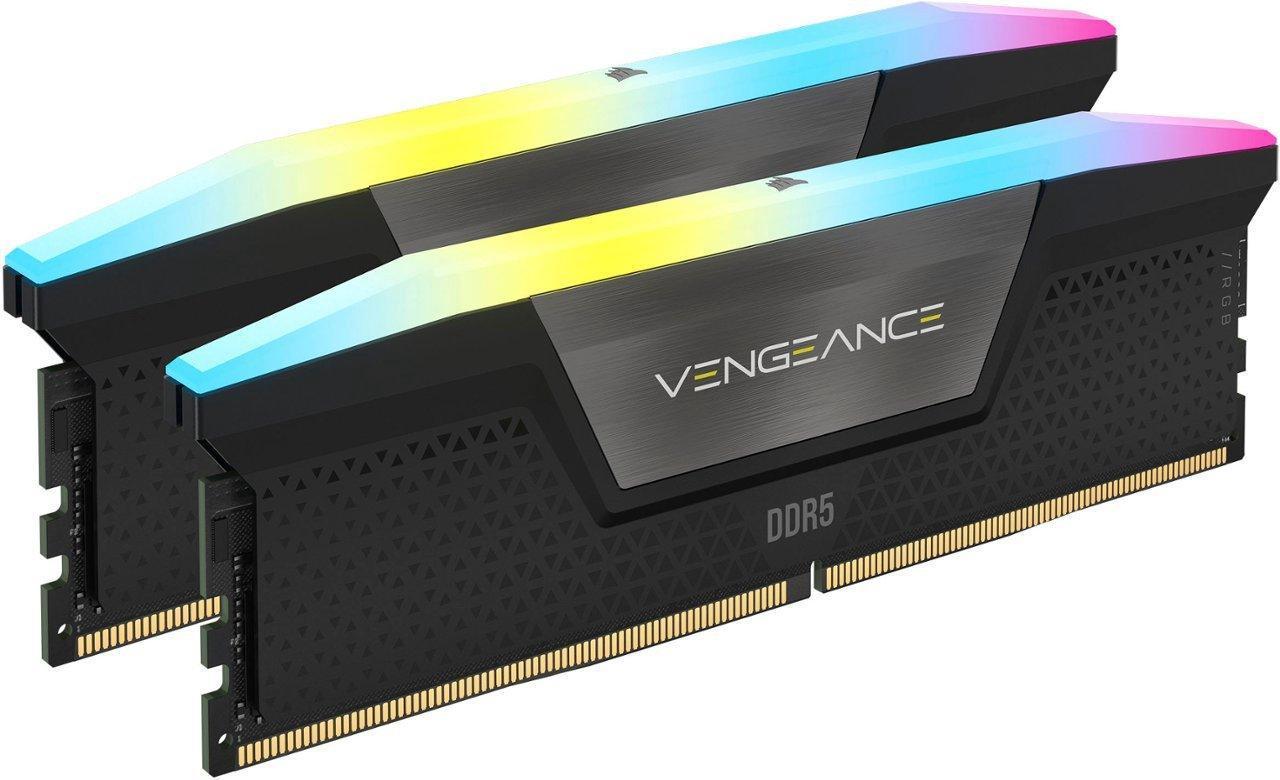
Choosing RAM can be daunting, because this decision has a tangible impact on your performance. How many browser tabs can you keep open? How smooth is your video editing timeline? How fast will your game load? All of this is directly affected by your choice of RAM.
Late 2025 Update: RAM prices have more than doubled this year, due to astronomical demand from AI datacenters. Unfortunately, this pricing pressure isn’t expected to be alleviated until later in 2026 at the earliest. And since memory factories take billions of dollars and years to build, there won’t be much relief coming from the supply side.
If you’re upgrading and can wait, I would recommend waiting.
If you’re building a new PC and need RAM, shop around and hope to find a deal. Perhaps make the old fashioned choice of buying half the RAM you want now, and buying the second half once prices come back down to earth.
How does RAM work?
Let us use a busy road connected to a parking lot as an analogy to understand how your computer memory functions.
RAM Channels: The Road Width

Single channel (1 stick): Imagine a one lane road. Even if the speed is high, cars must travel single file.
Dual Channel (2 or 4 sticks): Two lane road. Now, two streams of traffic can travel side by side simultaneously.
- Is Dual Channel twice as fast? Theoretically, it doubles your bandwidth. In real-world gaming, however, you won’t see double the frame rates. On average, switching from Single to Dual Channel results in a 10% to 20% increase in FPS depending on the game. Perhaps more importantly, it significantly improves your “1% lows,” meaning you will experience far fewer stutters and lag spikes during intense moments.
- How do I get Dual Channel? Most normal motherboards have 4 memory slots. To enable Dual Channel, you typically need to install RAM in pairs, usually in the 2nd and 4th slots from the CPU. A common beginner mistake is to install the two sticks right next to each other. Check your motherboard manual to see which slots they should go in. The RAM also needs to be very similar, so they can work together in dual channel mode. The best way to ensure this is to buy a matched kit of two sticks.
- If you install just one stick of RAM, you force the computer to use a single lane (Single Channel).
- If you install two sticks, the computer opens up the second lane, allowing data to flow twice as efficiently (Dual Channel).

RAM Speed: The Speed Limit
- The speed number of the RAM, like the 6000 in DDR5-6000, refers to the number of data transfers per second. This speed is like the speed limit of the road. Imagine how fast cars travel at 30mph compared to 60mph, it’s the same thing for 3000 MT/s RAM to 6000 MT/s RAM. Faster is better, assuming all other things are equal (which they may not be, more below).

RAM Capacity (Size): The Parking Lot
The size of your RAM, in this analogy, would be the parking lot at the end of the road. A bigger parking lot can hold more stuff, but the speed of the road to get the stuff is still the same.
- 8GB of RAM: A small parking lot, may fill up completely when you launch a game. And then the rest of the cars need to park in the overflow lot that is a mile away down a slow dirt road (your SSD / Hard drive).
- 32GB RAM: A big parking lot. Plenty of space for everything. No slow downs from having to drive to the overflow lot down the dirt road.
- 64GB RAM: A huge stadium parking lot. Plenty of space. But if the 32GB parking lot was already big enough, 64GB won’t be any faster because they are still limited by the speed limit on the access road (your RAM speed).

How do you determine RAM latency?
Remember when I said all things may not be equal? This is where CAS comes in. To understand how fast your RAM actually is, you must look at its memory timings, including CAS Latency. The timings will be listed alongside the RAM speed with numbers presented in this format: 36-48-48-104.
The first number is CAS latency, or “Column Access Strobe.”
- In plain English: This is the delay time. It’s the number of clock cycles that pass between the moment the RAM receives an order (“Fetch this data!”) and the moment the data is actually available.
- If we go back to our automotive metaphor, we have two racecars. They are both DDR5-6000. However, one has a CAS latency of 30, and one has a CAS latency of 40. They are in a race, and the CAS 30 gets a head start. 10 cycles faster! Since both have a top speed of 6000, the CAS 30 arrives first.
The Formula: Calculating True Latency
You might notice that modern DDR5 RAM has much higher CAS numbers (e.g., CL30, CL40) than older DDR4 RAM (CL16, CL18). Does that mean new RAM is slower? No.
CAS does not exist in a vacuum. A higher speed (frequency) makes the clock cycles shorter. To find the true latency in nanoseconds, use this formula:
Let’s compare a standard DDR4 stick from a few years ago against a modern DDR5 stick:
1. The Old Standard (DDR4):
Specs: CAS 16 @ 3600MT/s
Math: 16 / 3600 × 2000 = 8.89 nanoseconds
2. The New Standard (DDR5):
Specs: CAS 30 @ 6000MT/s
Math: 30 / 6000 × 2000 = 10.00 nanoseconds
Wait, isn’t 10ns slower than 8.89ns? Technically, yes. However, pure latency isn’t everything. Because the DDR5 stick is running at 6000MT/s, it offers nearly double the bandwidth (throughput) of the DDR4 stick.
Returning one last time to the cars, the old DDR4 gets a little head start, but the DDR5 has a top speed almost twice as fast, so wins the race.
When Does CAS Latency Actually Matter?
Is your application highly sensitive to memory performance? For some workloads, such as media encoding or machine learning, paying the extra for faster CAS (lower numbers) can be worth it. The difference between fast memory and slow memory can be 30%, and so it makes sense to pay for the small part of that increase that is due to faster CAS. In modern gaming, the different latency doesn’t usually make a huge difference. However, tighter timings still matter! A DDR5-6000 kit with CL30 would perform better than a budget DDR5-6000 kit with CL40. In the very most memory-sensitive applications, this difference could result in a 10% speed difference. However, in a more typical gaming scenario, the difference is usually only a percent or two.

How do you choose RAM?
- Check your Hardware Limits. Check your motherboard and CPU manual.
- Platform: Are you on a DDR4 motherboard or a newer DDR5 board (like AMD AM5 or Intel LGA1851)? They are not interchangeable. Make sure your RAM matches your motherboard.
- Speed Limits: If your motherboard is rated up to 6400MHz, buying an 8000MHz kit is likely a waste of money. You’ll have to overclock to hit that speed, and it may not be stable.
- The “Sweet Spot” for Price vs. Performance. Just like in previous years, there is a point of diminishing returns.
- Capacity: 16GB is now the recommended minimum for anything other than a budget build. 32GB (2 x 16GB) is the recommended standard for modern gaming and multitasking.
- Speed: For DDR5, 6000MHz is widely considered the sweet spot for stability and performance.
When deciding between RAM of different clock speeds, the RAM with the higher clock speed is superior; but when choosing between RAM of identical clock speeds, the RAM with lower CAS latency is faster. This is where the constraints of your budget must do battle with your desire for speed (as well as any aesthetic considerations such as RGB lighting).
When dealing in nanoseconds, the difference may not seem significant—and it can certainly be argued that, for the average user, the difference between a CAS of 30 and a CAS of 40 is not worth breaking the bank. But when choosing between RAM options within budget, you should choose the lowest CAS at a given speed for the best performance.